Quick Start — Look Up Your First Word
Three steps from the front page to a dictionary entry. If a lookup ever returns nothing, jump to Troubleshooting — the cause is almost always the input scheme.
1. Open a dictionary
Go to sanskrit-lexicon.uni-koeln.de. Every dictionary is one row, grouped by language pair. The strip of single letters at the end of each row is how you open it:
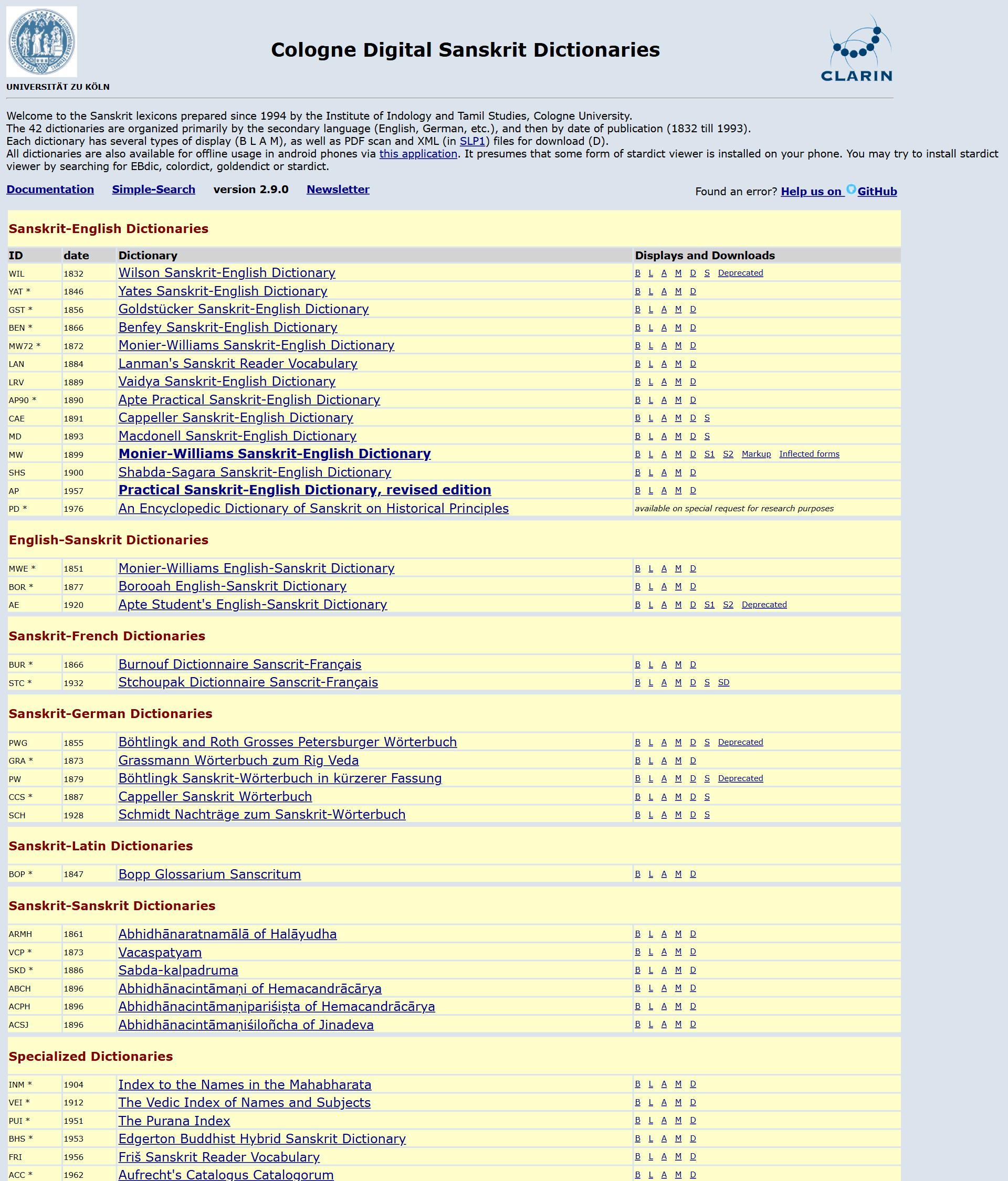
- B Basic · L List · A Advanced · M Mobile · D Downloads · S Scans
For a first lookup, click B (Basic) on Monier-Williams — the standard Sanskrit→English dictionary. (Greyed-out letters mean that action isn't offered for that dictionary.) See Using the Website for what every code does.
2. Type a word — in the right scheme
In the Basic view, pick your input transliteration first, then type the headword. The single most common reason a lookup fails is typing in one scheme while the box expects another.
| If you have… | Choose input scheme | Type agni as |
|---|---|---|
| an ASCII keyboard only | Harvard-Kyoto (hk) or SLP1 (slp1) | agni |
| diacritic Roman (IAST) | roman | agni |
| Devanāgarī | deva | अग्नि |
agni ("fire") happens to look the same in every scheme; most words do not — see
Encoding & Transliteration for why, and a worked
śiva / kṛṣṇa comparison.
3. Read the entry
The entry renders with the headword, the definition body, and live cross-references where
the markup supports them — literary-source citations (<ls>), and lexical/grammatical
tags. A linked citation opens the exact scanned page it refers to. See
Search & Display for each display mode and how the same word
looks across several dictionaries.
Where to go next
| You want to… | Go to |
|---|---|
| Understand every front-page link code | Using the Website |
| Search inside entries, not just headwords | Advanced Search |
| Compare one word across many dictionaries | Multi-Dictionary |
| Use the dictionaries offline | Offline & StarDict |
| Download the data (XML/PDF/scans) | Downloads & Data |
| Fix a lookup that returns nothing | Troubleshooting |