Using the Website
The CDSL front page at sanskrit-lexicon.uni-koeln.de lists every dictionary grouped by language pair. Each dictionary row exposes a compact set of single-letter links. This page explains what those links mean and how to get from the front page to a headword. (New here? Start with the Quick Start.)
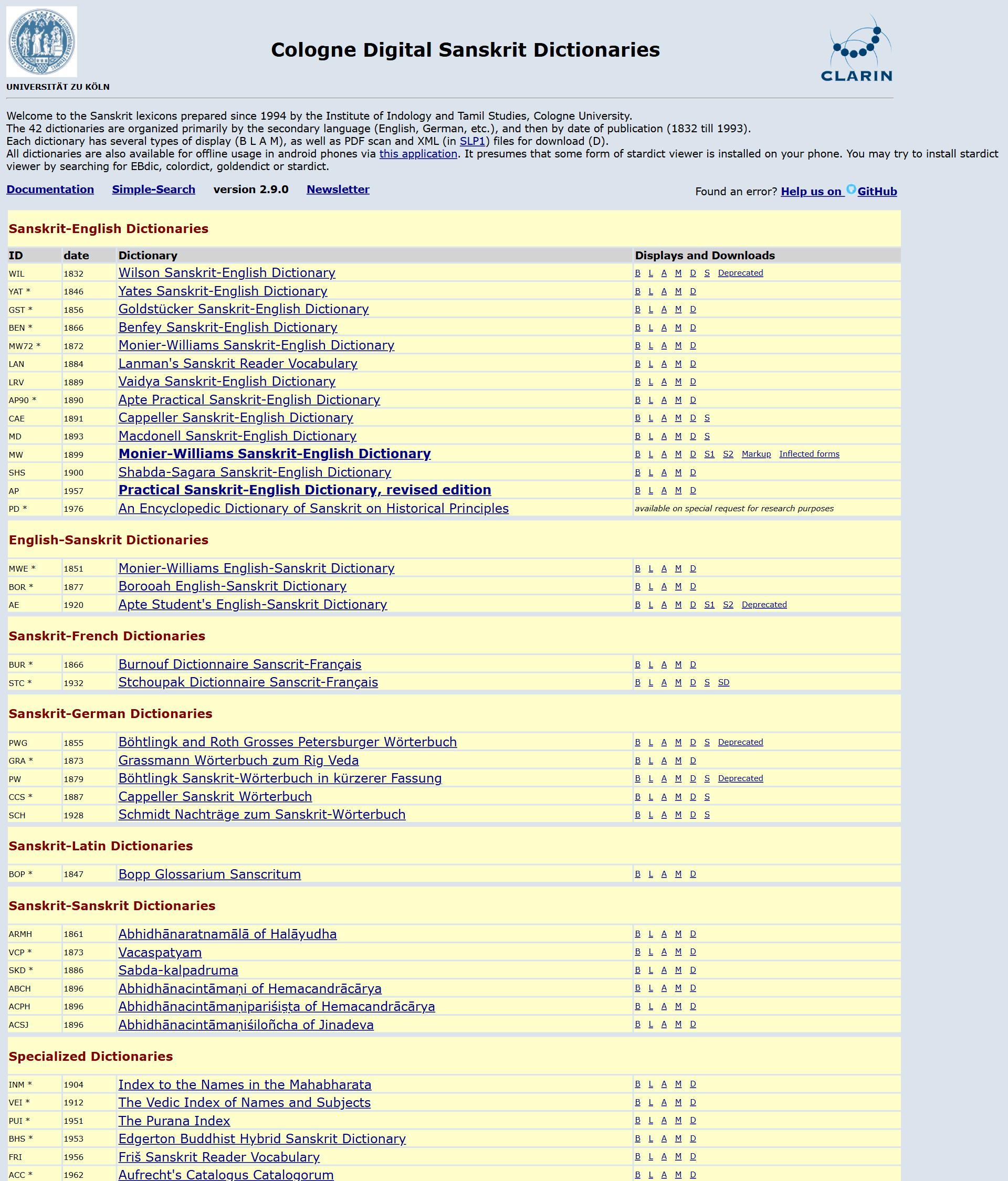
The front-page link codes
Each dictionary is presented with a short code (e.g. MW, AP90, PWG) and a row of
single-letter actions:
| Code | Action | Notes |
|---|---|---|
| B | Basic display | Single-word lookup, clean reading view |
| L | List display | Browse/scroll headwords as a list |
| A | Advanced search | Search within entry body, wildcards, regex-style options |
| M | Mobile | Mobile-friendly responsive interface |
| D | Downloads | XML (SLP1), PDF, and data packages |
| S¹ | Scans (PDF) | Original scanned pages as PDF |
| S² | Scans (JPG) | Original scanned pages as JPG |
Some dictionaries add extra links (e.g. Markup notes, or Inflected forms for Monier-Williams). The exact set per dictionary is reflected live in the catalog — greyed letters there mean that action is not offered.
For a dictionary with scan code {CODE} (e.g. MW), the actions resolve to:
base = /scans/{CODE}Scan/2020/web/
- B
{base}webtc/indexcaller.php· L{base}webtc1/index.php - A
{base}webtc2/index.php· M{base}mobile1/index.php - D
{base}webtc/download.html - S¹
/scans/{CODE}Scan/index.php?sfx=pdf· S²…?sfx=jpg
A typical lookup
- Pick a dictionary from the front page (e.g. Monier-Williams, code
MW/ internalMWS). - Click B (Basic) to open the single-word view.
- Type a headword. You can enter it in several transliteration schemes — see Encoding & Transliteration.
- The entry renders with cross-references (
<ls>literary-source links, lexical tags) live-linked where available.
Which display mode should I use?
- Basic (B) — you know the word and want to read its entry.
- List (L) — you want to browse alphabetically or confirm a headword's spelling.
- Advanced (A) — you want to search inside entries (e.g. find every entry that cites a particular text, or contains a phrase).
- Mobile (M) — same content, phone-friendly layout.
See Search & Display for the details of each mode, and Tools for cross-dictionary search.
Getting the data instead of reading online
Every dictionary can be downloaded as XML (SLP1) and PDF, and the original scanned editions are available page by page. See Downloads & Data and Scans & Print.